
A calm, joyful world of cozy coloring.
Adult Coloring Book+ transforms your iPhone, iPad, and Mac into a soothing digital sketchbook. Fill intricate enclosed regions with a single tap, sketch freely with 11 expressive brush presets and your own custom brushes, and keep your colors immaculate with intelligent Stay in the Lines protection.
 Cat Kimono Bridge • Cozy Moments
Engineered for Effortless, Mindful Flow
Whether you want quick, satisfying color fills or deep multi-layered freehand brushwork, Adult Coloring Book+ adapts naturally to your artistic rhythm.
Tap to Fill with Gradients & Patterns
Fill any enclosed line region instantly. Choose from flat pastels, multi-stop linear, radial, and angular gradients, or 11 whimsical procedural patterns like hearts, stripes, polka dots, stars, sparkles, flowers, clouds, scallops, and confetti.
- Precision pre-mapped region fills with crisp line preservation
- Linear, radial & angular gradients with 2 to 5 customizable color stops
- 11 procedural patterns with adjustable scale, spacing, rotation & background
11 Art Brushes & Custom Brush Studio
Express yourself with 11 procedural mediums—Round, Marker, Pencil, Crayon, Airbrush, Watercolor, Calligraphy, Glitter, Chalk, Neon, and Star Stamps—plus design and save your own custom brushes with a live scratchpad.
- Adjustable size (1–120 pt), opacity, hardness, flow, smoothing & spacing
- Paint with solid colors or multi-stop gradients that flow along your stroke
- Apple Pencil pressure sensitivity, automatic palm rejection & finger dynamics
Smart "Stay in the Lines" Mode
Never worry about accidentally slipping outside the boundaries. When enabled, your strokes are automatically clipped to the enclosed region where your pen or finger first makes contact.
- Real-time region boundary clipping with zero lag
- Effortlessly shade fine corners, leaves, and intricate character details
- Toggle on or off at any moment right from the studio toolbar
Smooth 500% Zoom & Multi-Touch Gestures
Pinch with two fingers to zoom smoothly up to 500% (5×) and pan effortlessly across intricate details. Two-finger tap to undo and three-finger tap to redo across a 50-step session history.
- High-frequency 120Hz/240Hz coalesced touch & stylus sampling
- Step backward and forward through region fills, brush strokes & eraser edits
- Ultra HD 300 DPI print export, printable PDF sheets, time-lapse video & lossless PNG
The Coloring Canvas Studio
Test the coloring engine right in your browser! Select an artwork, choose your coloring mode and palette, and see how satisfying it feels to bring line art to life.
Charming Japanese & Kawaii Collections
Designed by professional illustrators specifically for relaxing digital coloring. Every illustration features clean, crisp, closed vector outlines ideal for both fill and shading.
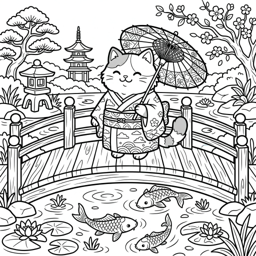
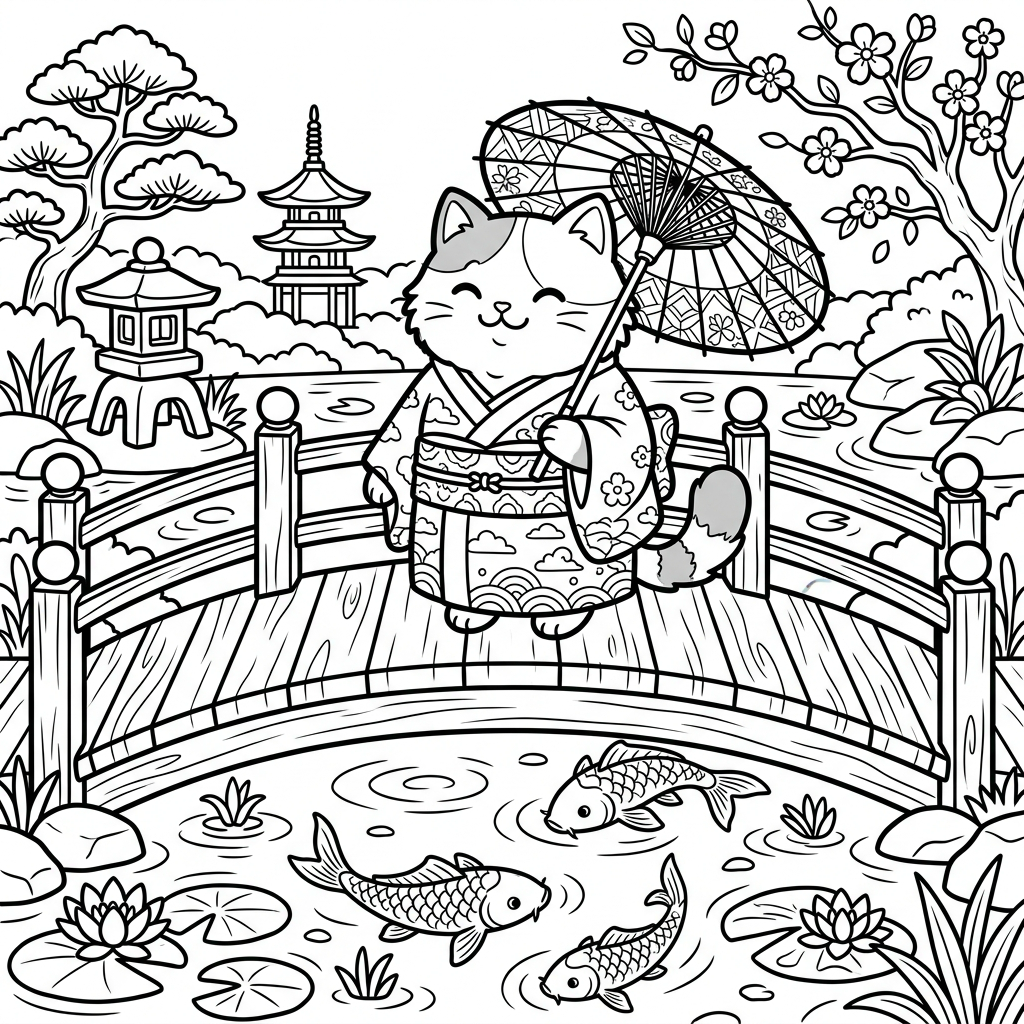
Cat Kimono Bridge
A tranquil feline in a floral kimono gazing over lotus waters.
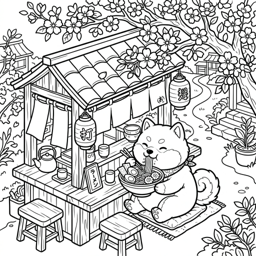
Shiba Inu Ramen
Wholesome steaming noodles served with loving canine charm.

Bunny Sushi Platter
Delicate nigiri and rolls accompanied by playful bunny chefs.
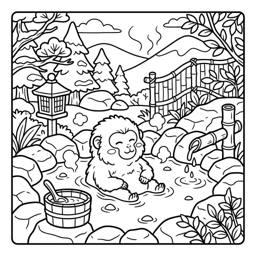
Snow Monkey Onsen
Steam-wreathed mountain springs and peaceful meditation.
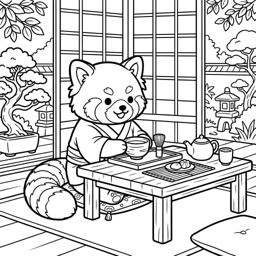
Red Panda Tea Time
Fragrant matcha cups surrounded by bamboo lanterns.
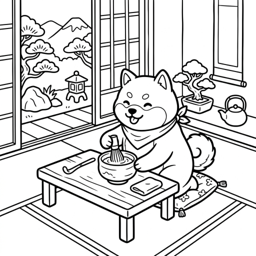
Shiba Matcha Float
Sweet desserts layered with boba pearls and dango treats.
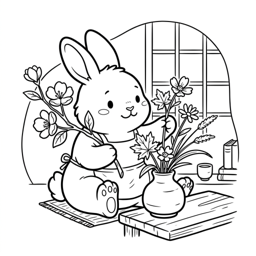
Bunny Ikebana
Traditional Japanese floral arrangement with gentle blossoms.
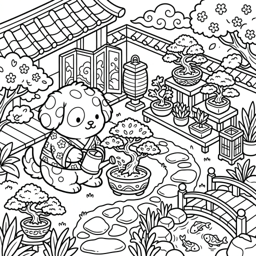
Spotted Dog Bonsai
Miniature pine trees tended with mindful care and patience.
A Cohesive Suite of Mindful Workspaces
Adult Coloring Book+ provides dedicated spaces for discovering, coloring, organizing, and securing your artwork.
Artwork Library
Browse by category tags, filter by Colored or Not Colored, see live rendered previews of your saved progress on every card, or automatically resume your last page on launch.
Coloring Canvas View
The core interactive studio featuring Fill & Brush modes, 28 curated palettes + custom palettes, gradient & pattern builders, Stay in the Lines, and 500% pinch-to-zoom.
Themed Collections
Explore curated collections including Cozy Moments, Animals, Bunnies, Cats, Dogs, Food, Japan, Monkeys, and Plants, plus Imported Pages.
My Art Gallery
Your personal gallery of started and completed artworks ordered by recent activity, with live rendered previews, completion percentages, relative timestamps, and favorites.
Custom Page Import
Import your own coloring page images (PNG, JPEG, HEIC up to 4096px) from Files or Photos into a dedicated, 100% device-local freehand brush and eraser studio.
Settings & App Lock
Configure appearance themes, haptics, sound effects, iCloud sync status, data management, and biometric Face ID / Touch ID App Lock with app switcher privacy cover.
Coloring Book Technology & Terminology
Search concepts, engine mechanics, and privacy principles powering the app.
Stay in the Lines
Intelligent region boundary clipping that constrains freehand brush strokes inside the enclosed region where your touch or stylus first began.
Coalesced Touch Sampling
High-frequency 120Hz/240Hz touch and Apple Pencil point capture paired with Catmull-Rom spline smoothing for fluid, lag-free strokes.
Region-Map Flood Fill
Pre-computed 16-bit region maps paired with dilated coverage masks that eliminate white halos and preserve crisp line art edges.
Apple Pencil Pressure & Palm Rejection
Direct Apple Pencil force sensitivity with automatic palm rejection while your stylus is active, plus velocity-based dynamic pressure for finger drawing.
On-Device SwiftData
Apple's modern persistence framework storing region fills, brush strokes, custom palettes, and favorites locally on your hardware without external servers.
Private CloudKit Sync
Automatic sync for built-in artwork progress, custom palettes, and color libraries across iPhone, iPad, and Mac via your private Apple iCloud container.
Biometric App Lock
Hardware-enforced Face ID, Touch ID, or device passcode lock with configurable delay and an optional App Switcher privacy cover.
Gradients & 11 Procedural Patterns
Linear, radial, and angular gradients (2–5 stops) plus 11 procedural patterns (hearts, stripes, diagonal, polka dots, stars, sparkles, checker, flowers, clouds, scallops, confetti).
Device-Local Page Import
Import personal images and line art up to 4096px into a private on-device sandboxed container for freehand brush and eraser coloring.
Multi-Touch Session Undo
50-step non-destructive session undo/redo stack supporting region fills, brush strokes, and eraser edits via toolbar buttons or 2-finger / 3-finger taps.
11 Presets & Brush Boutique
Round, Marker, Pencil, Crayon, Airbrush, Watercolor, Calligraphy, Glitter, Chalk, Neon, and Star Stamps, plus custom saved brushes with a live scratchpad.
Ultra HD 300 DPI & Video Export
High-resolution output renderer reconstructing every stroke at native resolution up to 4096×4096 at 300 DPI, plus printable PDF sheets and time-lapse replay video.
A Calm, High-Integrity Creative Experience
Compare Adult Coloring Book+ with traditional paper coloring and ad-supported subscription trap apps.
| Feature & Experience | Adult Coloring Book+ | Ad-Supported Apps | Subscription Trap Apps | Paper Coloring Books |
|---|---|---|---|---|
| Zero Advertisements & No Tracking | 100% Ad-Free, No SDKs | Constant video popups | Aggressive paywall nags | Ad-Free |
| Smart "Stay in the Lines" Mode | Auto boundary clipping | Rare or clumsy | Fill-only mechanics | Impossible without tape |
| Expressive Brush Selection | 11 presets + custom brushes | 1 or 2 flat pens | Generic flat colors | Physical art supplies |
| Gradients & Procedural Patterns | 3 gradient types & 11 patterns | Flat solid colors only | Inflexible paid add-ons | Manual labor required |
| Apple Pencil Pressure & Palm Rejection | Coalesced 120Hz/240Hz inking | Basic tap recognition | Limited stylus fidelity | Physical tactile feel |
| Non-Destructive Session Undo & Gestures | 50-step undo + 2/3-finger tap | 3 undo limit / watch ad | Coarse reset only | Permanent ink mistakes |
| Custom Coloring Page Import | 100% on-device brush studio | Not available | Cloud upload / paywalled | Needs light table/tracing |
| Private iCloud Sync Across Devices | iPhone, iPad & Mac | Requires third-party login | Proprietary cloud silos | Heavy books to carry |
Answers to Common Questions
Everything you need to know about brushes, privacy, Apple Pencil support, and pricing.
No. Adult Coloring Book+ is entirely local-first. All bundled artwork pages, brushes, palette tools, and imported pages work 100% offline. When an internet connection is available, your built-in artwork progress and custom palettes sync silently through your own private Apple iCloud account.
When you start drawing inside an enclosed area on a built-in coloring page, our real-time clipping engine locks onto that region's boundaries. Even if your finger or Apple Pencil wanders outside, ink only renders within that original region. You can toggle this on or off at any time in the canvas toolbar.
You can color effortlessly with your fingers on iPhone and iPad! Finger strokes feature organic velocity-based pressure dynamics, while Apple Pencil adds direct hardware force sensitivity and automatic palm rejection on iPad.
Go to Settings → Data Management → Import Coloring Page to import any PNG, JPEG, or HEIC image (up to 4096px) from your device. Imported pages are stored exclusively in your device's local private container (they never leave your device or sync to iCloud) and open in a dedicated freehand brush and eraser studio.
Adult Coloring Book+ Premium provides unlimited access to over 100 cozy illustrations and weekly releases, all advanced procedural brushes (Glitter, Neon Glow, Watercolor diffusion, Calligraphy, Chalk, Airbrush, and custom presets), custom palettes, Ultra HD 300 DPI print export, time-lapse video export, and private iCloud sync. Flexible Yearly (with 3-day free trial), Monthly, and Lifetime VIP options are available through Apple In-App Purchase.
Yes. Tap the Share button in the canvas toolbar (or use Settings → Data Management → Export Coloring Page) to export a full-resolution lossless PNG image via the native Apple share sheet—perfect for saving to Photos, printing, AirDrop, or sharing with friends.
Rediscover the joy of unhurried coloring.
Download Adult Coloring Book+ on your iPhone, iPad, and Mac to cultivate a calm, joyful creative routine.